
LVP / Vinyl Plank
For floating or glue-down vinyl plank layouts with real plank sizes, offsets, cuts and pack counts.
Draw the room, choose the layout, and check the result before you order. CalcuFloor supports random and repeating offsets, herringbone and double herringbone, with live counts, cuts, surplus, underlayment and baseboard quantities from the actual layout.
Check the actual plank layout before you order, quote or install. CalcuFloor lets you compare layout types, control stagger rules, position herringbone properly, and see the real cut result instead of relying on a rough estimate.
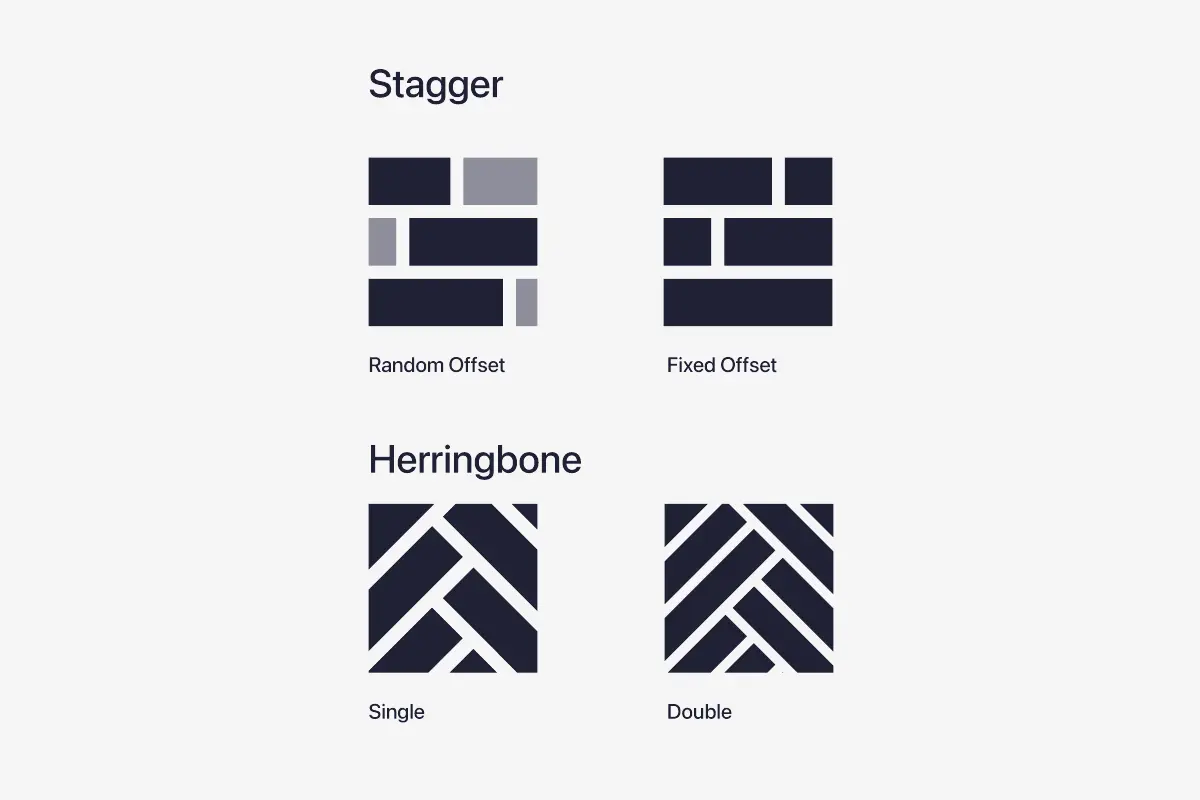
Use the layout type that fits the job: random offset, repeating offset, herringbone or double herringbone. You can compare the actual result before installation instead of guessing how the pattern will look once it reaches walls, cuts and perimeter conditions.
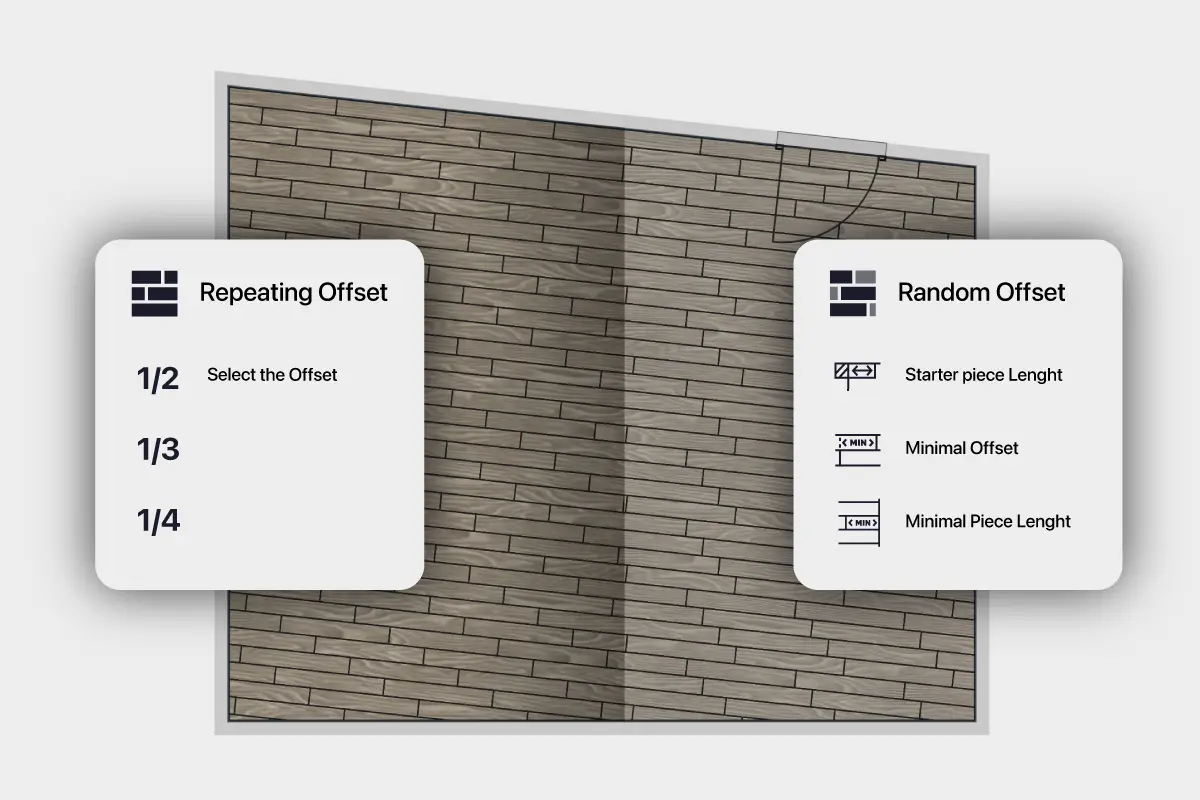
Set the starter piece length, minimum stagger and minimum piece length before the layout is generated. That makes it easier to match the stagger rules you actually want to install, instead of settling for a generic pattern preview.
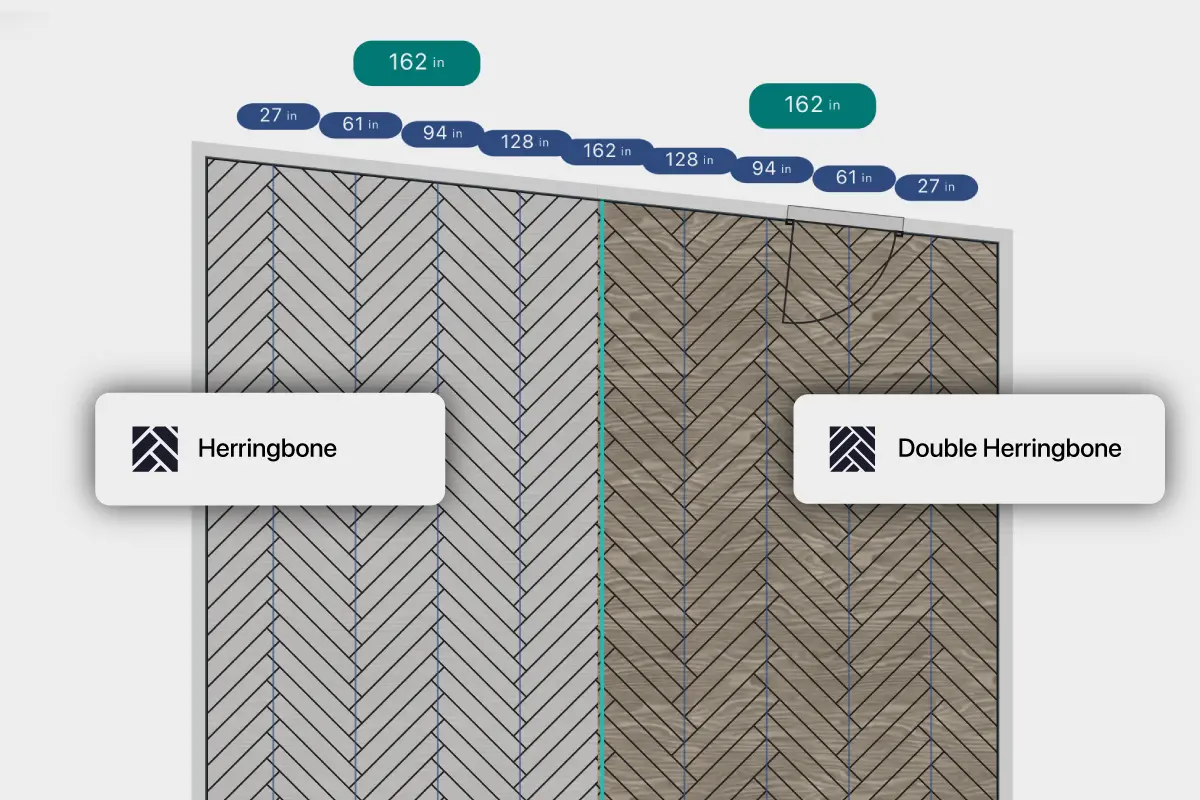
Check herringbone and double herringbone as actual floor plans before the install starts. That gives you a clear view of fit, layout direction, border conditions and material impact before you commit.
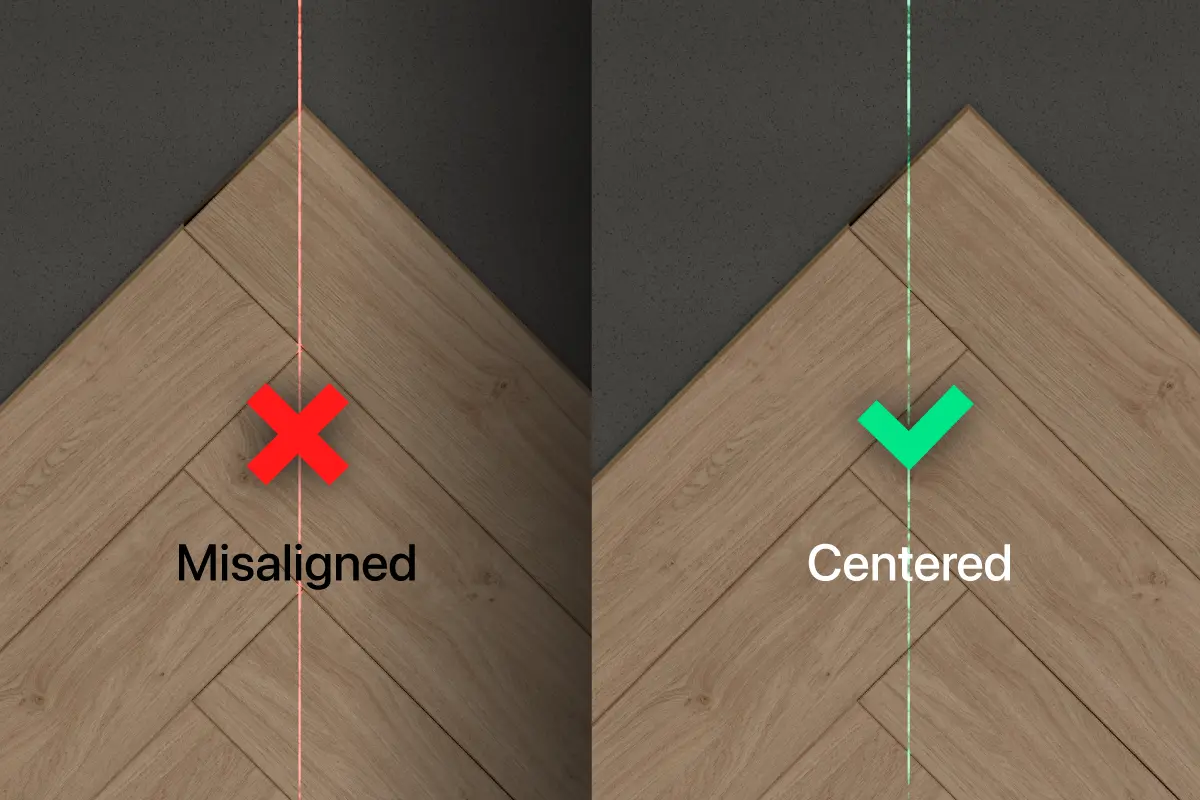
Not every valid herringbone layout is visually right. Centerlines let you position the pattern properly before you order, quote or install, so the layout lands where it should instead of drifting off-center.
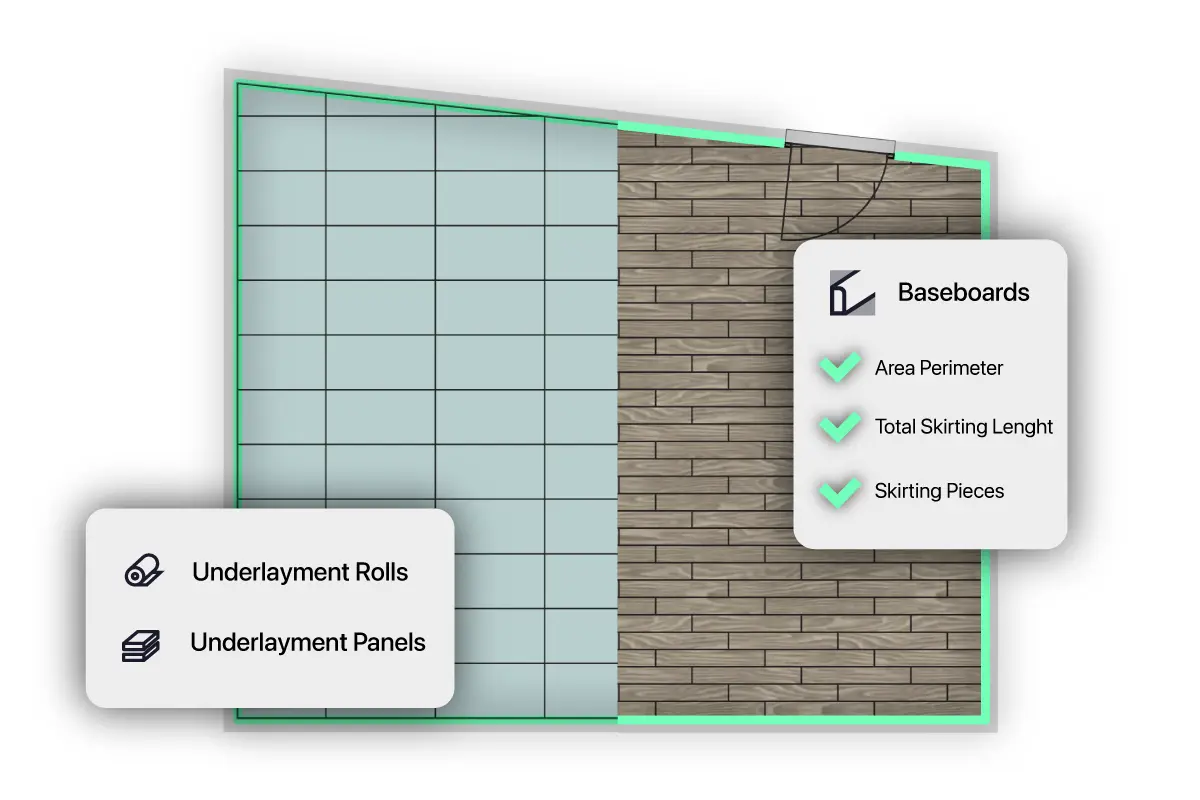
The layout returns more than plank counts. It also calculates underlayment as rolls or panels and returns baseboard quantities, so you can plan more of the job from the same layout instead of estimating those items separately.
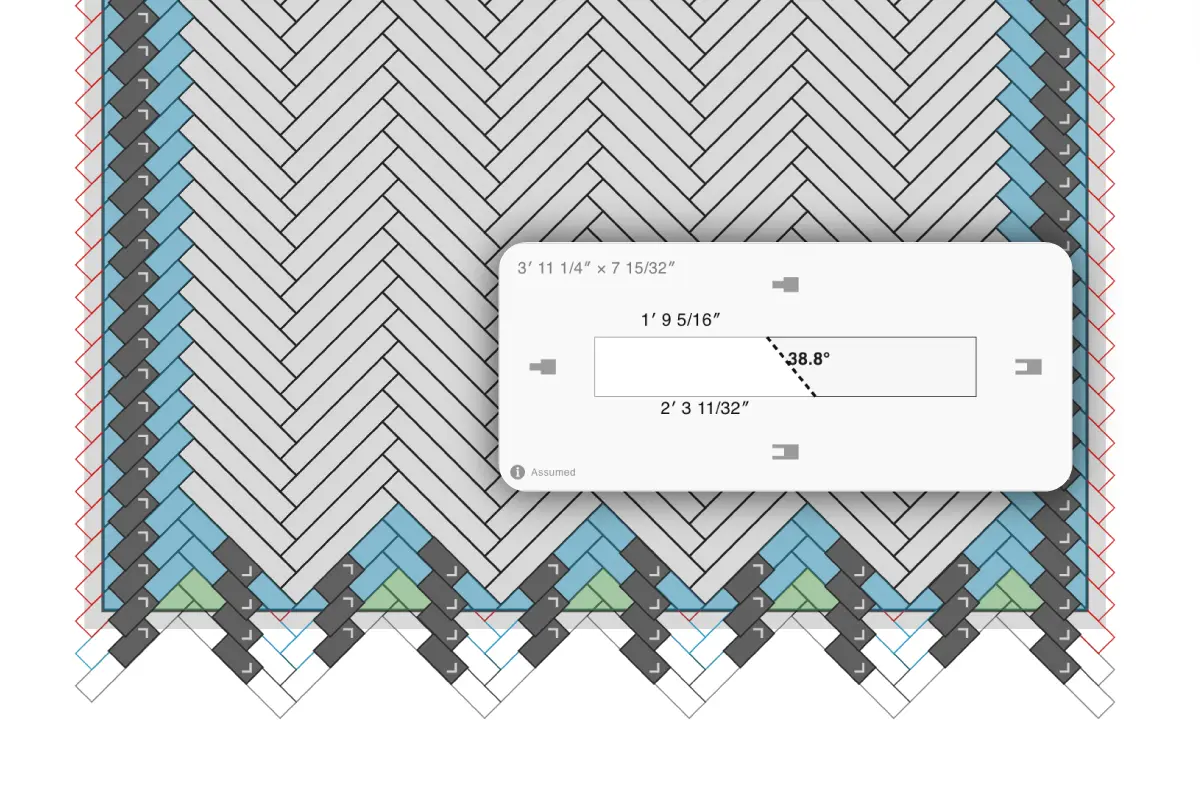
Inspect the actual cut result while you work. CalcuFloor shows live piece dimensions, cut angles and cut reuse, so you can judge the layout from real cut geometry instead of only reading a final quantity.
Plan plank layouts for the materials installers actually use.
For floating or glue-down vinyl plank layouts with real plank sizes, offsets, cuts and pack counts.
Set starter length, offset rules, minimum piece length and expansion gap before you order or install.
Plan straight lay, diagonal and patterned wood plank layouts from the actual room shape.
Check layout fit, cut result, surplus and material quantities before committing on site.
Enter the block or plank dimensions you are ordering; use the dedicated herringbone planner when pattern axes and border cuts are the main decision.
Enter your own plank dimensions and box or pack size instead of relying on preset products.
Short answers, written to match how people actually ask.
Compare row starts, seam positions and edge widths, then order from the selected layout.
See the plank flooring layout calculator, compare the tile layout calculator, review how the layout is generated, and check pricing and plan limits.